The Best CRM Tools for Small Businesses: Compare Features, Pricing, and Fit

Mitch Wilder
Entrepreneur & Systems Thinker

If your leads are scattered across spreadsheets, inboxes, DMs, sticky notes, and memory, you do not have a sales system. You have chaos with good intentions.
That’s why the best CRM tools for small businesses matter so much. The right CRM helps you track leads, manage follow-up, connect marketing to revenue, and stop losing deals simply because nobody knew what happened next. I think that’s the real issue for most small businesses. It’s rarely effort. It’s usually lack of structure.
Quick answer
The best CRM tools for small businesses are HubSpot CRM, Zoho CRM, Pipedrive, Freshsales, Monday Sales CRM, ActiveCampaign, Keap, Less Annoying CRM, Salesforce Starter, Insightly, Capsule CRM, and GoHighLevel. The right choice depends on whether your priority is pipeline visibility, marketing automation, affordability, simplicity, or long-term scale.
The stakes are high because sales follow-up is where most revenue quietly leaks. Roughly half of small businesses fail within five years (U.S. Bureau of Labor Statistics), and one of the most common causes is inconsistent customer acquisition and follow-up — exactly what a CRM is built to fix.
Key Takeaways
- HubSpot CRM is the best overall free CRM for growing small businesses.
- Zoho CRM is the best value if you want strong customization at a lower cost.
- Pipedrive is the best sales pipeline CRM for deal visibility and follow-up discipline.
- ActiveCampaign is the best CRM with email marketing automation.
- Less Annoying CRM is the best simple CRM for solo owners and tiny teams.
- Salesforce Starter is best for businesses planning for serious scale.
- The best CRM is not the one with the most features. It’s the one your team will actually use.
- A CRM should help you track lead source, pipeline stage, next step, and revenue outcome.
- Cheap CRM software is expensive if adoption is poor.
- A good CRM should improve follow-up speed, conversion rates, and reporting clarity within 90 days.
| CRM Tool | Best For | Key Strength | Best-Fit Business |
|---|---|---|---|
| HubSpot CRM | Best overall free CRM | Sales, marketing, and service in one ecosystem | Growing small businesses |
| Zoho CRM | Best value CRM | Affordable customization and automation | Budget-conscious teams |
| Pipedrive | Best sales pipeline CRM | Visual deal tracking | B2B and sales-driven businesses |
| Freshsales | Best AI-assisted sales CRM | Lead scoring and built-in communication | Modern small sales teams |
| Monday Sales CRM | Best visual workflow CRM | Flexible boards and dashboards | Agencies and project-based teams |
| ActiveCampaign | Best CRM with email marketing | Automation and segmentation | Nurture-heavy businesses |
| Keap | Best CRM for service businesses | Follow-up, appointments, invoices | Consultants and local services |
| Less Annoying CRM | Best simple CRM | Ease of use and low cost | Solopreneurs and very small teams |
| Salesforce Starter | Best scalable CRM | Enterprise-grade foundation | Businesses preparing to scale |
| Insightly | Best CRM with project management | Sales plus delivery workflow | Agencies and service providers |
| Capsule CRM | Best relationship-focused CRM | Clean contact and task tracking | Relationship-driven small teams |
| GoHighLevel | Best for agencies and lead funnels | Funnels, SMS, pipeline, campaigns | Agencies and local lead gen |
If you’re in a hurry
- Choose HubSpot CRM if you want a strong free starting point with room to grow.
- Choose Zoho CRM if you want powerful features at a lower cost.
- Choose Pipedrive if pipeline visibility is your top priority.
- Choose ActiveCampaign if follow-up and lead nurturing matter most.
- Choose Less Annoying CRM if you want simple and affordable.
- Choose Salesforce Starter if you’re building for scale.
What Is a CRM Tool and Why Does Your Small Business Need One?
A CRM, or customer relationship management tool, is software that helps a business organize contacts, track leads, manage opportunities, automate follow-up, and measure customer interactions in one place.
Speed matters more than most owners realize. Research published in Harvard Business Review found that firms that contacted online leads within an hour were nearly seven times as likely to qualify the lead as those that waited even an hour longer. A CRM is the tool that makes that kind of response time repeatable instead of accidental.
In plain English, a CRM answers the questions that actually run a business:
- Who are our best leads?
- Where did they come from?
- Who followed up?
- What stage is the deal in?
- What happens next?
- Which campaigns are producing revenue?
The way that I look at it, a CRM is not just a contact database. It’s the command center for customer acquisition, sales pipeline, retention, and marketing ROI.
If your business is doing “accidental marketing,” this is usually the fix. A CRM gives you one system instead of ten disconnected ones. It’s the backbone of any real customer acquisition strategy for a small business, because it connects the marketing that creates leads to the sales process that closes them.
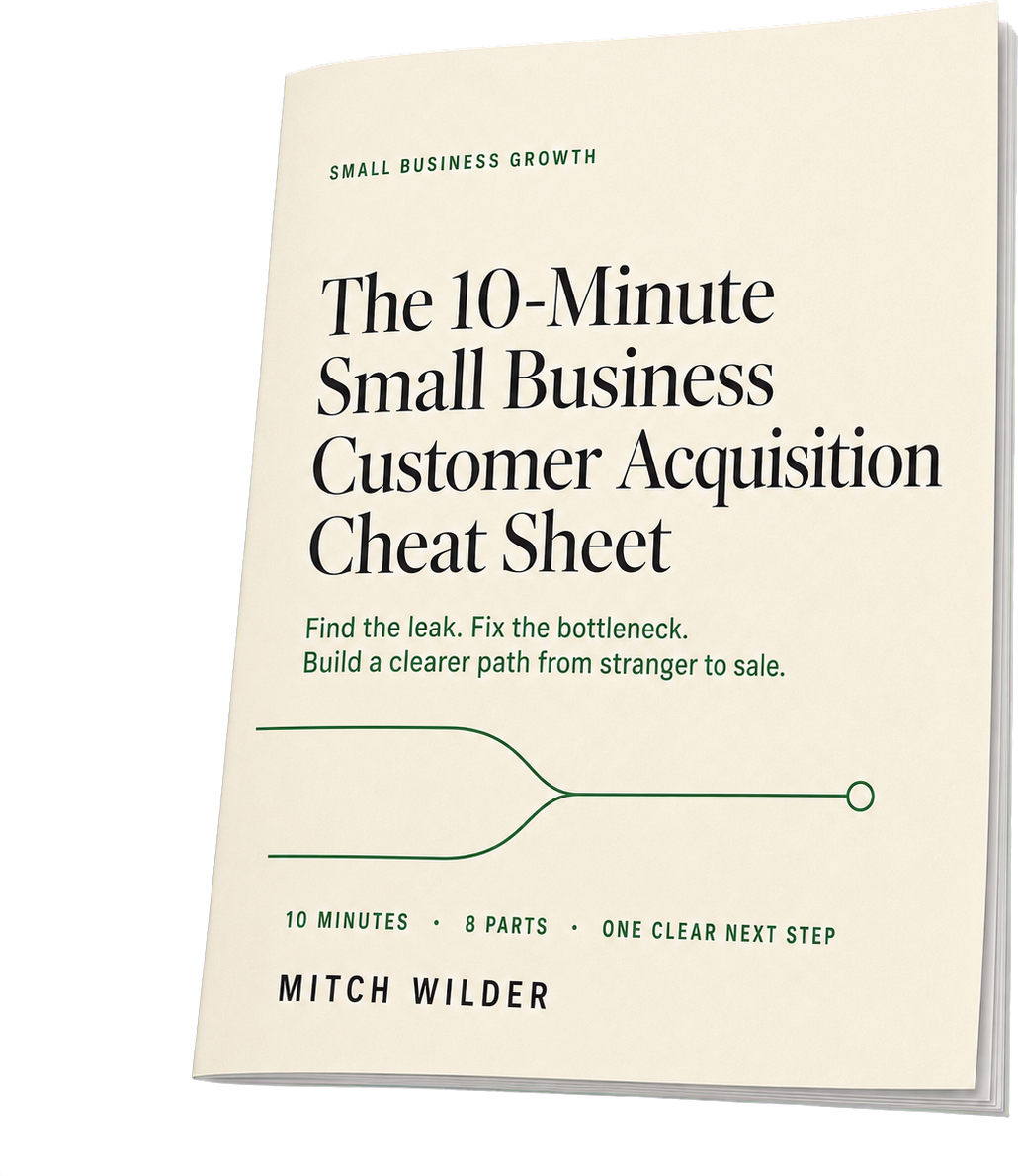
Free checklist
The 10-Minute Small Business Customer Acquisition Cheat Sheet
A printable cheat sheet and 36-point scorecard that finds the one bottleneck leaking customers, tells you what to fix first, and gives you the single metric to watch next.
Get the checklistHow We Chose the Best CRM Software for Small Business
I think comparison articles are only useful if the criteria are clear. So I’d evaluate any small business CRM software against these seven areas:
| Evaluation Factor | Weight | Why It Matters |
|---|---|---|
| Ease of use and adoption | 20% | A CRM only works if the team uses it |
| Contact and pipeline management | 15% | Core visibility into leads and deals |
| Automation and follow-up | 15% | Prevents missed opportunities |
| Marketing and lead capture | 15% | Connects campaigns to pipeline |
| Reporting and ROI visibility | 15% | Shows what’s working |
| Integrations and ecosystem | 10% | Keeps data connected |
| Pricing and scalability | 10% | Must fit now and later |
I’d also look at practical questions:
- Can a non-technical team set it up?
- Can it track lead source?
- Can it show next steps clearly?
- Does it integrate with Gmail, Outlook, forms, calendars, and accounting tools?
- Will pricing still make sense six months from now?
Pricing and features change frequently, so always verify current plan details on the vendor’s website.
Best CRM Tools for Small Businesses: Detailed Reviews
1. HubSpot CRM — Best Overall Free CRM
Best for: Small businesses that want an all-in-one starting point.
Why it stands out: HubSpot is one of the best CRM tools for small businesses because it combines contact management, deal tracking, forms, email tools, reporting, and marketing support in one ecosystem.
Best features:
- Contact management
- Deal pipelines
- Forms and live chat
- Email tracking and templates
- Meeting scheduler
- Basic dashboards
- Gmail and Outlook integrations
Pros:
- Excellent free plan
- Beginner-friendly
- Strong educational content
- Great for aligning sales and marketing
Cons:
- Paid upgrades can get expensive
- Advanced automation lives on higher tiers
Choose HubSpot if: You want a clean starting point with room to expand.
Avoid it if: You want the lowest long-term cost and only need a basic CRM.
2. Zoho CRM — Best Value CRM
Best for: Businesses that want affordability plus flexibility.
Why it stands out: Zoho gives you a lot of CRM functionality for the price, especially if you want customization, automation, and reporting without paying enterprise prices.
Pros:
- Affordable
- Highly customizable
- Good automation options
- Strong if you already use Zoho tools
Cons:
- More setup required
- Less intuitive than simpler CRMs
Choose Zoho if: You want value and don’t mind some configuration.
Avoid it if: Your team needs dead-simple adoption on day one.
3. Pipedrive — Best CRM for Sales Pipeline Management
Best for: Sales-driven teams that live and die by follow-up.
Why it stands out: Pipedrive is built around a visual pipeline. That sounds simple, but simple is powerful. When every deal has a stage and a next action, fewer opportunities disappear.
Pros:
- Very intuitive pipeline view
- Great activity management
- Strong follow-up discipline
Cons:
- Weaker marketing automation than HubSpot or ActiveCampaign
- Some lead-gen features cost extra
Choose Pipedrive if: Your biggest issue is pipeline visibility and sales execution.
Avoid it if: You need a full marketing suite.
4. Freshsales — Best AI-Assisted Sales CRM
Best for: Teams that want modern sales tools with AI support.
Why it stands out: Freshsales combines pipeline management with communication tools, lead scoring, and useful AI features that help reps focus on the right opportunities.
Pros:
- Modern interface
- Built-in phone and email features
- Helpful AI lead scoring
Cons:
- Higher-tier plans unlock more value
- Less marketing depth than some competitors
Choose Freshsales if: Speed-to-lead and prioritization matter most.
Avoid it if: You need advanced marketing automation.
5. Monday Sales CRM — Best Visual Workflow CRM
Best for: Project-based businesses and collaborative teams.
Why it stands out: Monday Sales CRM works well when sales is only one part of the process. It can connect pipeline tracking with onboarding, delivery, and internal workflows.
Pros:
- Highly visual
- Flexible dashboards
- Strong for collaboration
Cons:
- Can get messy without process discipline
- Less sales-specialized than Pipedrive
Choose Monday if: You need CRM plus workflow management.
Avoid it if: You want a plug-and-play traditional CRM.
6. ActiveCampaign — Best CRM With Email Marketing Automation
Best for: Businesses that rely on nurture sequences and follow-up.
Why it stands out: ActiveCampaign is really strong when the sale takes time. If your leads need education, reminders, segmentation, and repeated touchpoints, this platform shines.
Pros:
- Excellent email automation
- Strong segmentation
- Great for lead nurturing and retention
Cons:
- CRM features can feel secondary
- Automation has a learning curve
Choose ActiveCampaign if: Email follow-up is central to your sales process.
Avoid it if: You just want a simple sales pipeline CRM.
7. Keap — Best CRM for Service Businesses
Best for: Consultants, coaches, agencies, and local service companies.
Why it stands out: Keap combines CRM, automation, appointment scheduling, invoicing, and payments. In other words, it’s built for service businesses that need more than just lead tracking.
Pros:
- Strong automation for service delivery
- Good for admin reduction
- Useful booking and payment tools
Cons:
- Pricier than basic CRMs
- Setup takes effort
Choose Keap if: You want one platform for lead capture, follow-up, booking, and payment.
Avoid it if: You only need simple contact management.
8. Less Annoying CRM — Best Simple CRM
Best for: Solopreneurs and tiny teams.
Why it stands out: Plain and simple, this is a CRM for people who hate bloated software. It does the basics well and keeps the learning curve low.
Pros:
- Very easy to use
- Affordable
- Minimal setup
Cons:
- Limited automation
- Limited reporting depth
Choose Less Annoying CRM if: Simplicity is the priority.
Avoid it if: You need complex automation or attribution reporting.
9. Salesforce Starter — Best CRM for Scaling
Best for: Businesses with serious growth plans.
Why it stands out: Salesforce gives you a path into one of the most powerful CRM ecosystems in the market. That matters if you expect complexity later.
Pros:
- Extremely scalable
- Strong reporting
- Large integration ecosystem
Cons:
- More complex
- Can become expensive
- Often requires admin support over time
Choose Salesforce Starter if: You’re planning ahead for a larger sales organization.
Avoid it if: You need a lightweight CRM this week.
10. Insightly — Best CRM With Project Management
Best for: Service businesses that need a handoff from sales to delivery.
Why it stands out: Insightly helps you track opportunities and then manage the work after the deal closes.
Best fit: Agencies, consultants, and service providers.
11. Capsule CRM — Best Relationship-Focused CRM
Best for: Small teams that sell through relationships.
Why it stands out: Capsule keeps contact management, tasks, and pipeline tracking clean and manageable without overcomplicating things.
Best fit: Advisors, consultants, and relationship-driven B2B teams.
12. GoHighLevel — Best for Agencies and Local Lead Funnels
Best for: Agencies and local lead generation businesses.
Why it stands out: GoHighLevel blends CRM functionality with funnels, SMS, email, appointment booking, and campaign management. One of the things that I noticed with agency-focused tools is they’re not just tracking leads. They’re trying to drive the whole conversion system.
Best fit: Agencies and local service companies that depend on fast response and booked appointments.
Best CRM Tools by Business Type
The fastest way to narrow the field is by business model.
| Business Type | Best CRM Options | Why |
|---|---|---|
| Solo consultant | Less Annoying CRM, Capsule, HubSpot | Simple follow-up and contact management |
| B2B service business | Pipedrive, HubSpot, Freshsales | Strong pipeline visibility |
| Local service business | Keap, GoHighLevel, HubSpot | Lead capture and follow-up automation |
| Startup | HubSpot, Zoho, Salesforce Starter | Room to grow |
| E-commerce business | HubSpot, ActiveCampaign, Zoho | Segmentation and lifecycle marketing |
| Project-based business | Monday Sales CRM, Insightly | Sales-to-delivery workflow |
| Budget-conscious business | Zoho, Less Annoying CRM, Capsule | Lower-cost entry points |
| Sales-heavy team | Pipedrive, Freshsales, Salesforce Starter | Forecasting and activity management |
| Marketing-heavy business | HubSpot, ActiveCampaign, Keap | Nurturing and automation |
How to Choose the Best CRM for Your Small Business
The best CRM for small businesses is the one that solves your biggest operational leak.
Start with the problem
Ask yourself:
- Are leads not getting followed up?
- Is customer data scattered?
- Can’t you track marketing ROI?
- Do reps not know the next step?
- Is retention happening by accident?
Then map your workflow
A simple pipeline is enough for most businesses:
- New lead
- Qualified
- Call booked
- Proposal sent
- Follow-up
- Closed won
- Closed lost
Decide your must-have features
- Contact management
- Lead source tracking
- Sales pipeline
- Email integration
- Follow-up reminders
- Reporting dashboard
- Automation
- Mobile access
- Integrations
Test a real scenario
Before you buy, run one actual workflow:
- Add a lead
- Assign an owner
- Send a follow-up email
- Create a task
- Track source
- Move the deal through stages
- Run a report
If that feels clunky during the trial, adoption will probably be worse later.
Key CRM Features Small Businesses Should Prioritize
The takeaway is this: most small businesses do not need every CRM feature. They need the right few.
Prioritize these first:
- Contact management: one clean database
- Lead source tracking: know what produces revenue
- Sales pipeline management: see every deal clearly
- Follow-up automation: reduce dropped leads
- Email integration: keep communication connected
- Reporting dashboards: track conversion and pipeline health
- Marketing automation: useful if your sales cycle is longer
- AI features: helpful, but only after your process is clean
AI will not fix a broken sales process. It works best when your data is clean and your stages are clear.
CRM Pricing: What Small Businesses Should Expect
CRM pricing usually falls into five bands:
| Pricing Band | Typical Fit |
|---|---|
| Free | Very small teams testing CRM basics |
| Low-cost | Solopreneurs and small teams |
| Mid-range | Growing businesses needing automation |
| Premium | Businesses needing advanced marketing and reporting |
| Enterprise-style | Scaling companies with complexity |
Your real cost is not just the monthly subscription.
CRM total cost = software licenses + add-ons + migration + training + implementation + integration costs + admin time
My point is this: a cheap CRM that nobody uses is expensive. A more expensive CRM that improves conversion and retention can pay for itself fast.
How to Measure CRM ROI
To measure CRM ROI, compare the additional gross profit created by better follow-up, higher conversion, improved retention, and time savings against the total cost of the CRM.
CRM ROI formula:
CRM ROI = (Incremental Gross Profit − CRM Cost) ÷ CRM Cost × 100
Track these metrics:
- Lead response time
- Lead-to-call conversion rate
- Proposal-to-close conversion rate
- Pipeline value
- Win rate
- Average deal size
- Sales cycle length
- Revenue by lead source
- Repeat purchase rate
- Customer lifetime value
A simple 90-day win looks like this:
- 30 days: cleaner data and better visibility
- 60 days: faster follow-up and stronger activity
- 90 days: better conversion and clearer ROI reporting
If you want to connect these numbers back to your broader spend, this deeper guide on how to measure marketing ROI walks through the full process.
30-Day CRM Implementation Plan
A CRM rollout should be simple at first.
Week 1: Audit and prepare
- List current lead sources
- Export contacts
- Remove duplicates
- Define pipeline stages
- Assign one CRM owner
Week 2: Configure the system
- Import contacts
- Set up pipeline stages
- Add key fields
- Connect email and calendar
- Set up forms and dashboards
Week 3: Automate follow-up
- New lead alerts
- Follow-up tasks
- Email templates
- No-response sequences
- Proposal reminders
Week 4: Train and review
- Train every user
- Set daily habits
- Review reports
- Clean missing fields
- Hold a weekly CRM check-in
Common CRM Mistakes Small Businesses Should Avoid
Most CRM failures are not software failures. They’re workflow failures.
Avoid these mistakes:
- Choosing based on features instead of actual process
- Building too many pipeline stages
- Not tracking lead source
- Importing dirty data
- Assigning no clear owner
- Having no follow-up rules
- Buying too much CRM too soon
- Treating CRM as a sales-only tool
A minimum viable CRM is often enough to start:
- One contact database
- One sales pipeline
- One lead source field
- One follow-up rule
- One weekly dashboard
- One CRM owner
Frequently Asked Questions About CRM Tools for Small Businesses
What is the best CRM tool for small businesses?
HubSpot CRM is a strong overall choice, Zoho CRM is great for value, Pipedrive is best for pipeline management, and ActiveCampaign is best for marketing automation. The right answer depends on your workflow.
Which CRM is best for beginners?
HubSpot CRM, Less Annoying CRM, and Capsule CRM are the most beginner-friendly options for most small teams.
Is there a free CRM for small business?
Yes. HubSpot CRM is the best-known free CRM for small business use, and some other platforms offer free or entry-level plans.
What is the most affordable CRM for small businesses?
Zoho CRM, Less Annoying CRM, and Capsule CRM are strong affordable CRM options. Affordability depends on users, contacts, and automation needs.
Can a spreadsheet replace a CRM?
Temporarily, yes. Long term, no. Spreadsheets do not give you automation, pipeline visibility, lead source reporting, or accountability.
What CRM is best for sales teams?
Pipedrive, Freshsales, HubSpot CRM, and Salesforce Starter are strong options for sales teams.
What CRM is best for marketing automation?
ActiveCampaign, HubSpot, Keap, and GoHighLevel are best if your process relies on nurturing, segmentation, and automated follow-up.
Conclusion: The Right CRM Turns Follow-Up Into Revenue
A CRM is not just another software subscription. It’s the system that turns scattered leads into managed opportunities and inconsistent follow-up into measurable revenue.
If you only remember three things, remember these:
- The best CRM tools for small businesses are the ones that fit your actual workflow.
- Pipeline visibility, lead source tracking, and follow-up discipline matter more than flashy features.
- Adoption is everything. A simple CRM used daily beats an advanced CRM ignored weekly.
If you want to build a system that helps you capture leads, follow up faster, and measure marketing ROI, start with a short list: HubSpot CRM, Zoho CRM, Pipedrive, ActiveCampaign, and Less Annoying CRM. For most small businesses, one of those five is the right starting point.
Build the process first. Then let the software support it. That’s how a CRM actually boosts a small business.